Approval workflow
Time entries flow from draft → submitted → approved/rejected. Scoped by role; auditable end to end.
Time entries start as draft. At the end of the week, the employee clicks Submit Week — all draft entries flip to submitted. Managers review and either approve (entries become billable) or reject (entries return to draft with a required reason).
Approval inbox
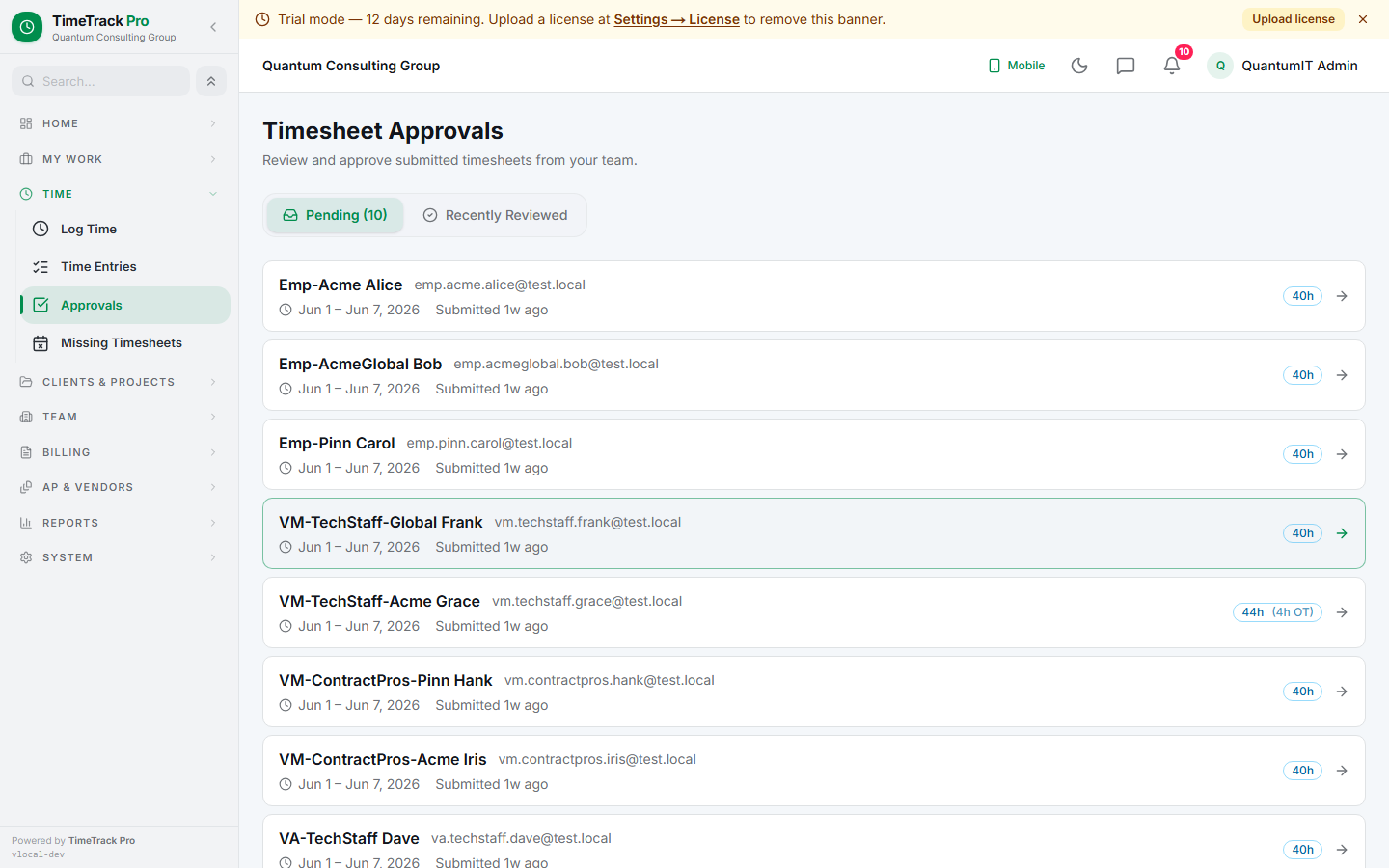
Managers and super_admins see all pending submitted weeks at /time/approvals, oldest first. Click a row to open the per-week review — a read-only weekly timesheet grid with Approve / Reject buttons.
Per-role scope
Super admin
Manager
Vendor admin
status = 'submitted' so a race with an approval can't undo an approved entry.Notifications
Approval / reject email
Submit reminders
metadata.type: "admin_direct_edit" + previousStatus so reviewers can find every one. Managers still use the standard reject flow — the escape hatch is super_admin-only.Per-session drawer on kiosk / Timer cells
Cells that carry real session data (kiosk clock-in/out or Timer start/end) become clickable — opens a right-side sheet with one card per session showing start-end range, kiosk location, identity selfie thumbnail, description, and status. Non-legal cells with only manual grid entries stay plain text (no drawer). Legal-matter cells use their own sub-entry review panel for per-entry UTBMS codes.
Overnight shift indicator
Cells with a session that crosses midnight (10 PM → 6 AM, etc.) render a small amber "→" glyph next to the duration so reviewers spot overnight sessions while scanning the grid. Tooltip shows the full "22:00 → 06:00 next day" range; for multi-day gaps ("forgot to clock out Friday, closed Monday") the tooltip carries the end-day name.
Multi-selfie thumbnails per cell
A field tech clocking in 4 times in one day produces 4 selfies. The approval-page cell shows up to 4 thumbnails with a "+N" overflow badge, each clickable to a lightbox. Enables per-session identity verification, not just first-of-day.
clockInSource=kiosk_only auto-submit their week on each clock-out — each clock-in/out cycle IS the whole submission unit. Reviewers see one submitted entry per session in the inbox; no weekly-grid ceremony from the tech. Combined with per-session job photos (field context) this is the fully-auditable pattern staffing + field-service firms use.