HR & compliance
Document tracking, expiry alerts, vendor compliance matrix. Module-gated under HR Compliance.
compliance module for document tracking, expiry alerts, and onboarding workflows. Available on every tier.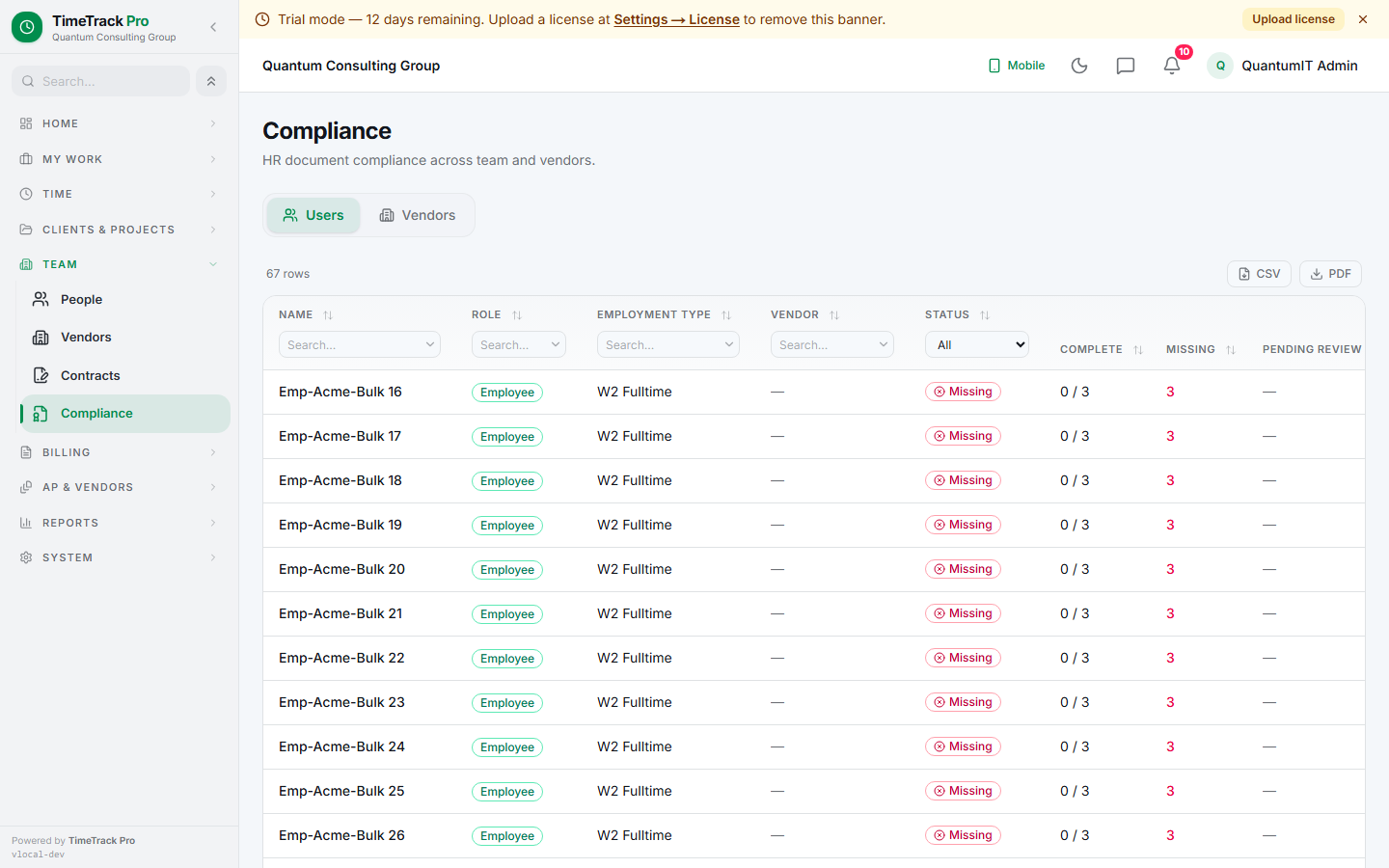
Document catalog
12 built-in document types ship with TTP:
Add custom types under Settings → HR → Document Types.
Employment types → required docs
6 built-in employment types map to required-document baselines:
W2 Full
1099 Contractor
Solo LLC
Per-user overrides via Settings → HR → Compliance Baselines for edge cases (exemptions, additional requirements).
Expiry tracking
- ✓Triggered lazily from status reads — no cron daemon
- ✓In-process throttle: max 5min per tenant scan
- ✓Bulk-stamps expiry_reminder_sent_at post-send
- ✓Optional vendor-admin Cc per tenant
- ✓Configurable expiry window (default 30 days)
- ✓Email digest with all expiring docs per recipient
Vendor compliance matrix
5 built-in vendor types carry their own required-document AND required-contract baselines:
Staffing Agency
Independent Consultant
Vendor detail page's Compliance tab shows live status per requirement (missing present under review). Upload + Send buttons fill gaps inline.
Proof of work — cadence per user
For users required to attach proof-of-work to billable time, the tenant picks a default cadence and individual users can override:
Weekly summary
Per session
None
Mixed firms: tenant sets a default (say weekly) and the Edit User dialog lets admin override per person (a field tech gets per_session). Master ON/OFF stays per-user separate from the cadence — turning "Require proof of work" off short-circuits the check regardless of cadence.
Outbound PO gate (optional)
Super_admin can flip a tenant-wide toggle: block outbound PO activation on vendor gap. When enabled, activating an outbound PO for a vendor with any missing compliance gap throws ValidationError listing the gaps. Super_admin can bypass per-PO via ?force=true on the activate route — audit row captures the override.