User Guide
Time tracking
Four ways to log time — weekly grid, timer, mobile, or kiosk. Pick whichever fits the moment.
📅
Weekly grid
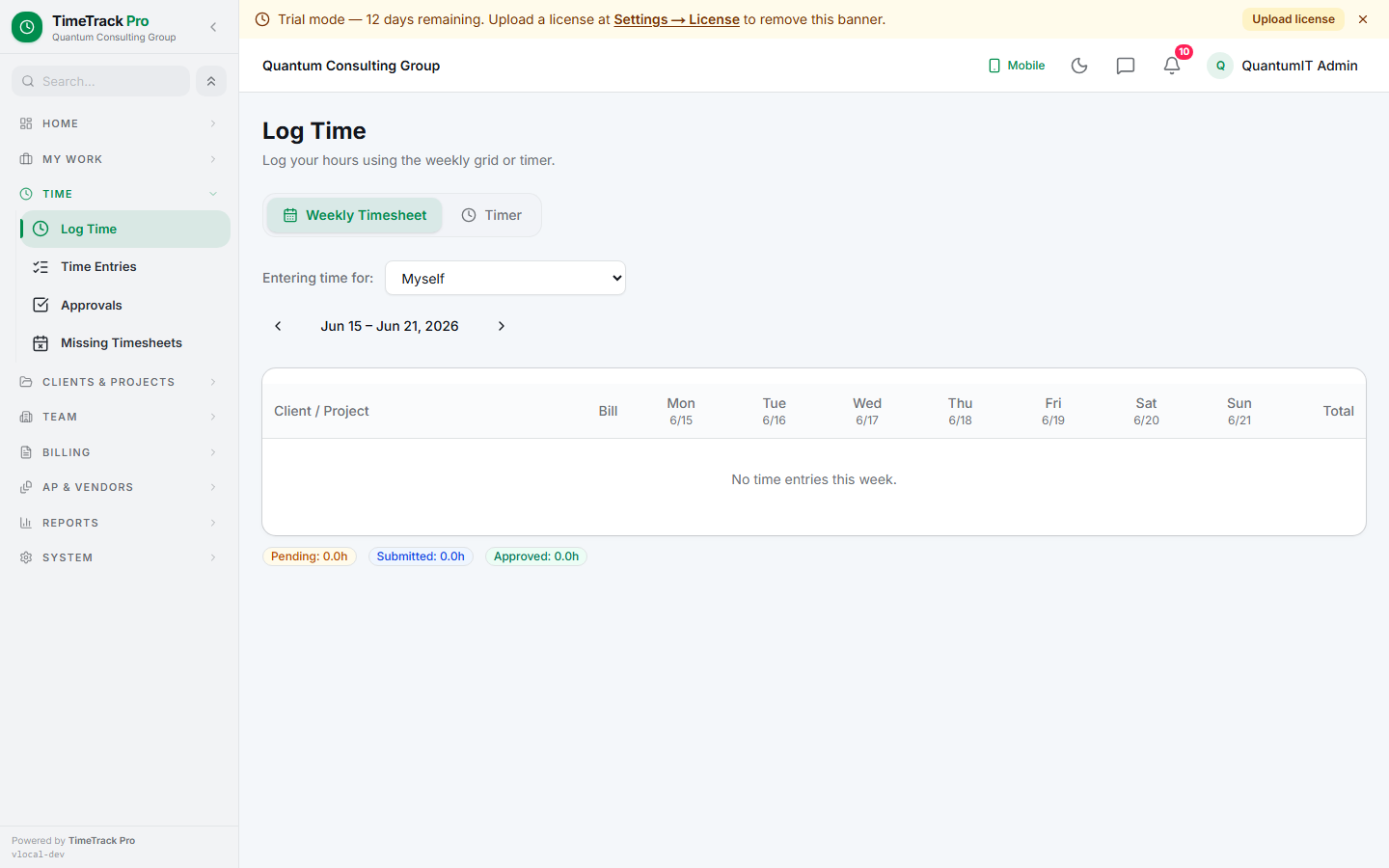
QuickBooks-style: rows are projects, columns are Mon–Sun. Click a cell to enter hours. Primary input mode at
/time.⏱️
Timer
Start / stop / pause a real-time clock. Multiple stops on the same project + day merge into ONE draft entry (no duplicate rows in the weekly grid). Mini display in the header while running.
📱
Mobile PWA
/m/today on your phone. Quick "Add Time" bottom sheet. Install to home screen for a near-native feel.🖥️
Kiosk clock-in
Dedicated tablet PWA for shared clock-in stations. Tap PIN → clock in. First-of-day identity selfie (office) or per- session job photos (field). Auto-submit on clock-out for kiosk-only users — no weekly-grid ceremony.
Flexible duration formats
Each cell accepts any of:
1.51:301h 30m90m
All become "1h 30m" on save. Status pills under each cell show whether the entry is Draft Submitted Approved Rejected.
Overtime tag
Mark an entry as overtime by toggling the OT pill. TimeTrack Pro does not compute or pay overtime — the tag is for downstream consumption (your payroll system, invoice OT multipliers). Only employees and vendor members see the OT toggle.
Power features
📷
Proof of work (unified)
Per-entry attachments: screenshots for web/desktop uploads, job photos at kiosk clock-out, or a single weekly summary — pick the cadence per tenant + override per user. Enable via Edit User → "Require proof of work". Master on/off is per-user; cadence (weekly vs per_session) is overridable per user for mixed office + field firms.
👥
Entry on behalf of others
Managers, super_admins, and vendor admins can enter time on behalf of team members via the "Entering time for:" dropdown. Useful for vendor admins consolidating contractor timesheets.
🌙
Cross-midnight shifts
Overnight shifts (10 PM → 6 AM) attributed to the shift- start day for payroll consistency. Tooltip + approval-page cell surface a small "→ next day" marker so reviewers spot overnight sessions at a glance.
🕐
16h max-session guard
Server rejects clock-outs where the session has been open > 16 hours ("tech forgot to clock out overnight" patterns). Admin uses the direct-edit escape hatch to fix the timestamps if it happens.
Tip
Vendor admins have a dedicated Team Week tab — a single flat table across every contractor they manage, organized as one row per teammate with their project rows below. Way faster than per-member tabs for bulk weekly entry.
Engagement boundary guard
TimeTrack Pro blocks time entry outside legitimate engagement windows: employees can't log before their HR start date; vendor contractors can't log without an active outbound PO authorizing their work on that project. Super_admin + manager bypass — they own the policy decision.